
Bring your partner in, one section at a time.
Sharing lets you invite a partner or someone you trust to see parts of your space, and only the parts you pick. Nothing is shared until you decide it is, and the person you invite sees a read-only view on a separate page, never your whole space. It lives in Settings, under “Who can see my space”.
Free to use. No account needed to explore the sample.
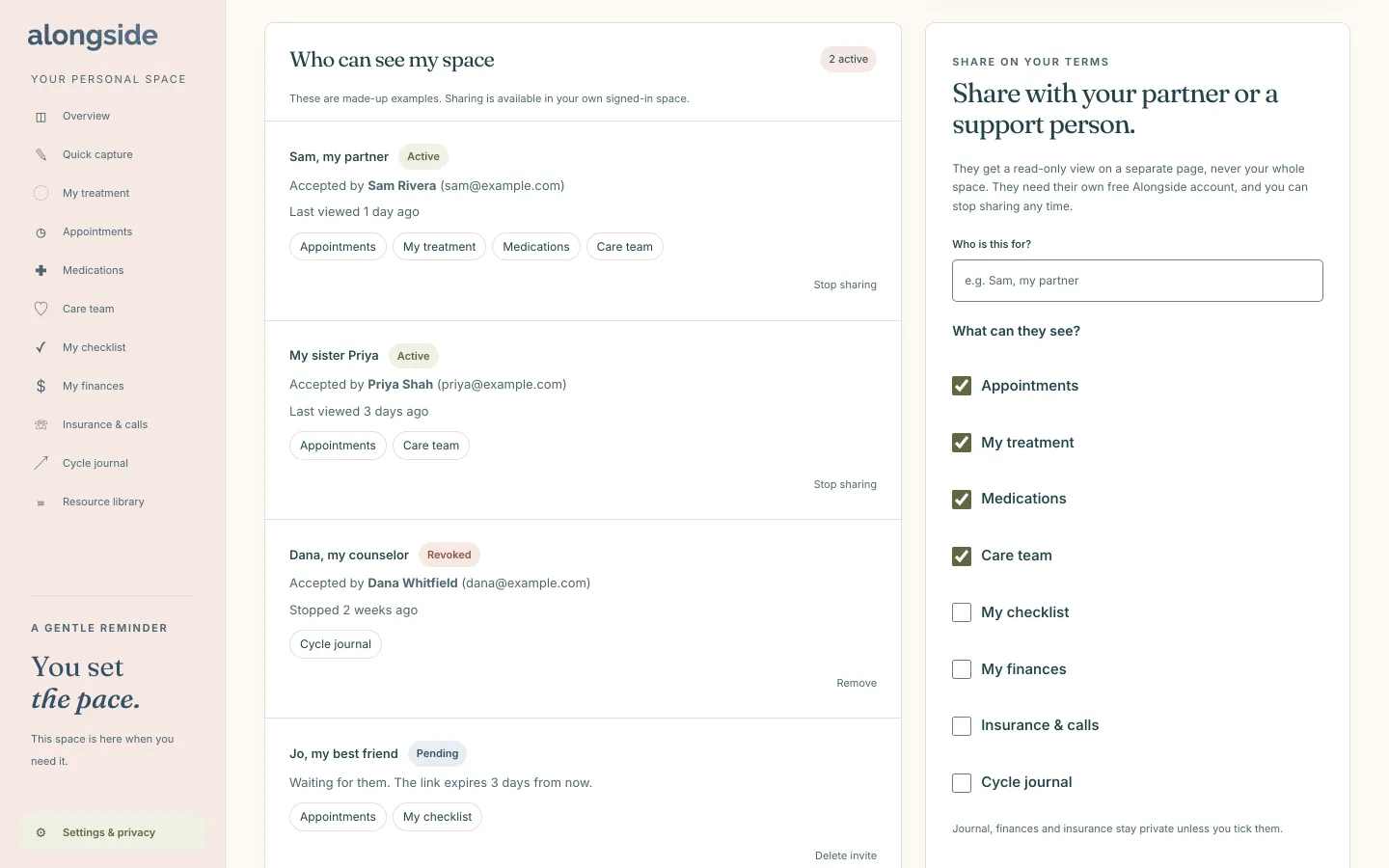
How Sharing works
- In your own signed-in space, open Settings and go to “Share with your partner or a support person”.
- Say who the invite is for, then tick the sections they can see. Appointments, treatment, medications and care team are ticked to start, while journal, finances and insurance stay private unless you tick them.
- Press “Create invite link”. The link is shown once, so copy it and send it yourself. It stays valid for seven days.
- The person opens the link and signs in with their own free Alongside account, then sees a read-only page of what you chose.
- Press “Stop sharing” whenever you like, and they lose access on their next page load.
Why it helps
You choose the sections.
Only what you tick can be seen. Quick capture, the resource library and Settings can never be shared.
They see it read only.
Your partner can look, but cannot change or delete anything.
Stop any time.
One press ends access, and you can delete an unused invite so its link stops working.
A short, visible list.
Settings shows who has access and which sections they see, with up to ten active shares at once.
Questions about Sharing
Does my partner need an account?
Yes, their own free Alongside account. They get a read-only view on a separate page, not access to your workspace.
What if I change my mind?
Press “Stop sharing” next to their name and they lose access on their next page load. You can also delete a pending invite so the link stops working.
Can I try sharing in the sample?
You can see how the section looks, but the sample uses made-up examples. Sharing works in your own signed-in space.
Keep exploring
-
Today
Today’s doses, the calendar and the next two weeks on one calm page.
-
Care team
Your clinic, nurses and pharmacy, with the numbers and hours you need.
-
Cycle journal
A private record of milestones in your own words, with no predictions.