
Everything for this week, in one calm place.
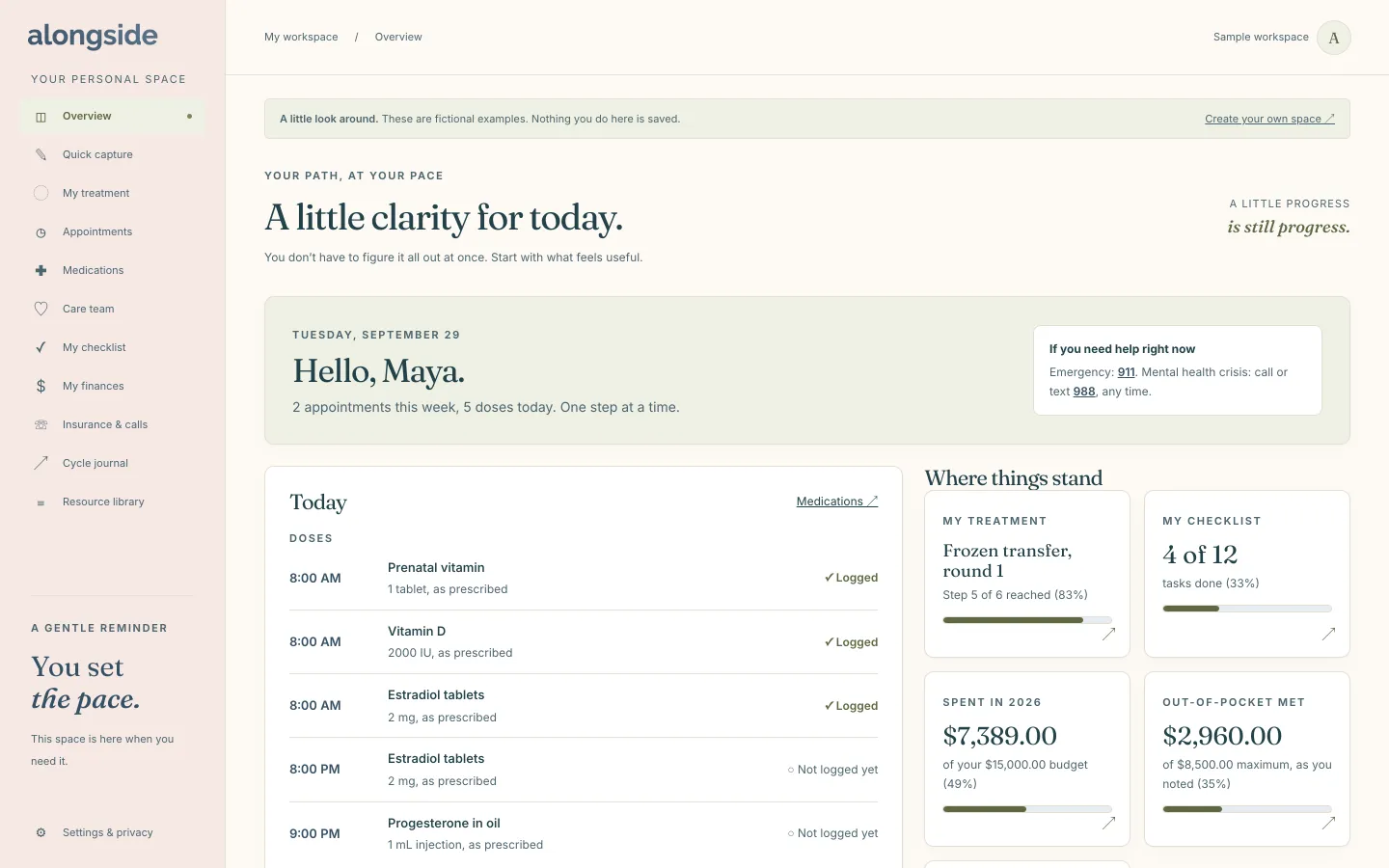
Today is the page you land on when you open Alongside. It pulls together the medications, appointments and tasks you have already saved, so you can see what matters without opening five different tabs. It is for anyone who wants a gentle start to the day, not another to-do system to manage.
Free to use. No account needed to explore the sample.
How Today works
- Open your workspace and land on Today, where a new space begins with a short “Get started, gently” list that asks for nothing you do not want to add.
- Add appointments, medications, tasks and journal entries in their own sections, and they show up here on their own.
- The Today card lists the doses on your medication list for the day and anything on your calendar.
- Coming up shows the next 14 days, including tasks and follow-ups that are overdue.
- Each card links back to the section it came from, so one tap takes you to the details.
Why it helps
One page, not five tabs.
Doses, visits and next steps sit together, so the week is easy to take in.
Only what you added.
Today rearranges your own entries. It does not invent tasks or tell you what to do next.
Help within reach.
The top of the page keeps the emergency number (911) and the 988 crisis line visible.
A place to start.
A brand-new space shows a few first steps, and none of them are required.
Questions about Today
Does Today send me reminders?
No. Email and SMS reminders are not turned on yet, and notifications are paused in Settings. Today is a page you open when you want it.
Who can see my Today page?
Only you, unless you choose to share. A partner or support person you invite gets a separate read-only view of just the sections you tick.
Do I have to fill everything in first?
No. Today fills in as you add things, and an empty space simply shows a few gentle first steps.
Keep exploring
-
Appointments
Every visit with its questions, notes and follow-ups in one place.
-
Medications
Your list as prescribed, a personal dose log and pharmacy refills.
-
My checklist
The tasks you do not want to carry in your head, checked off at your pace.